



경로: Directory → Devices\
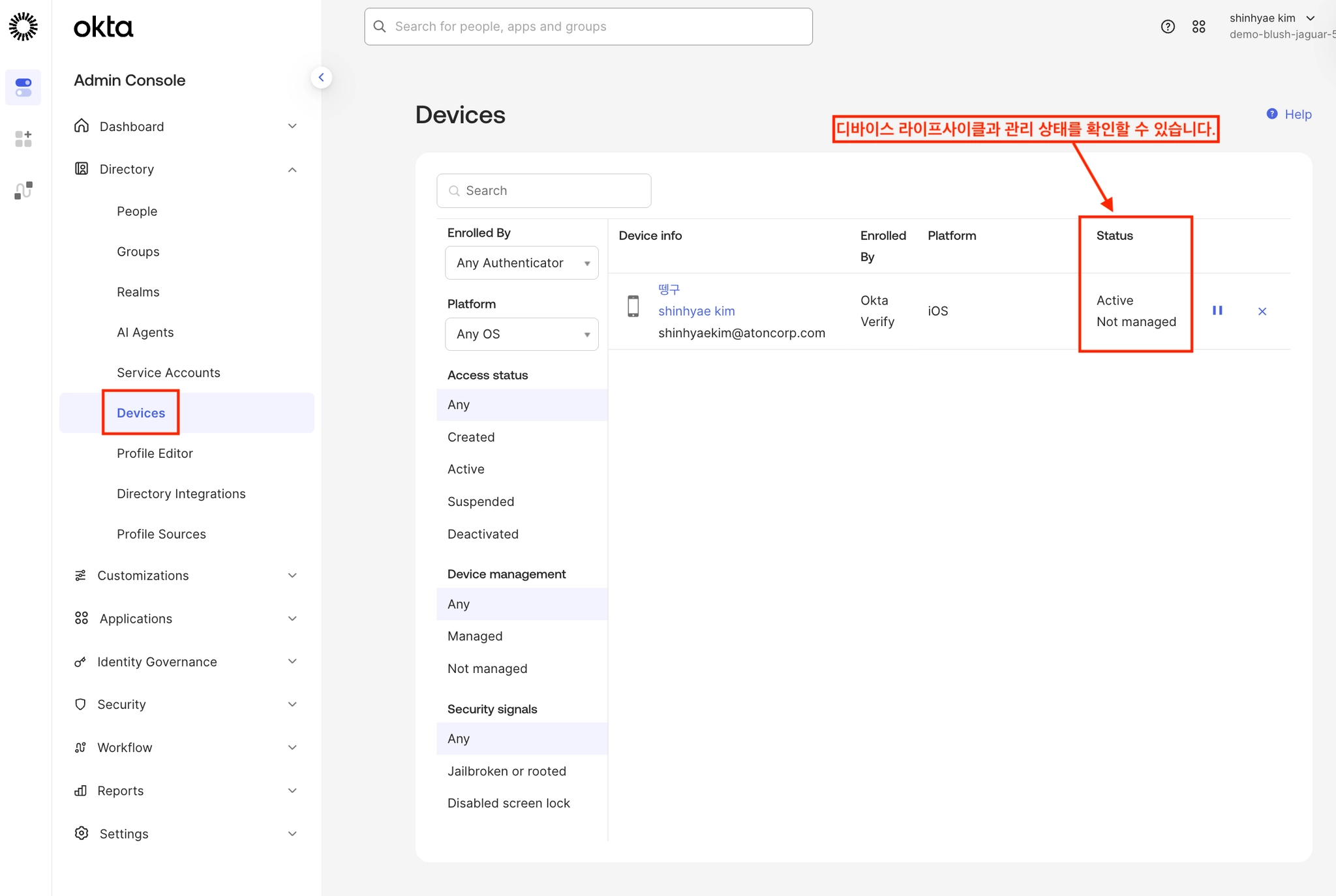
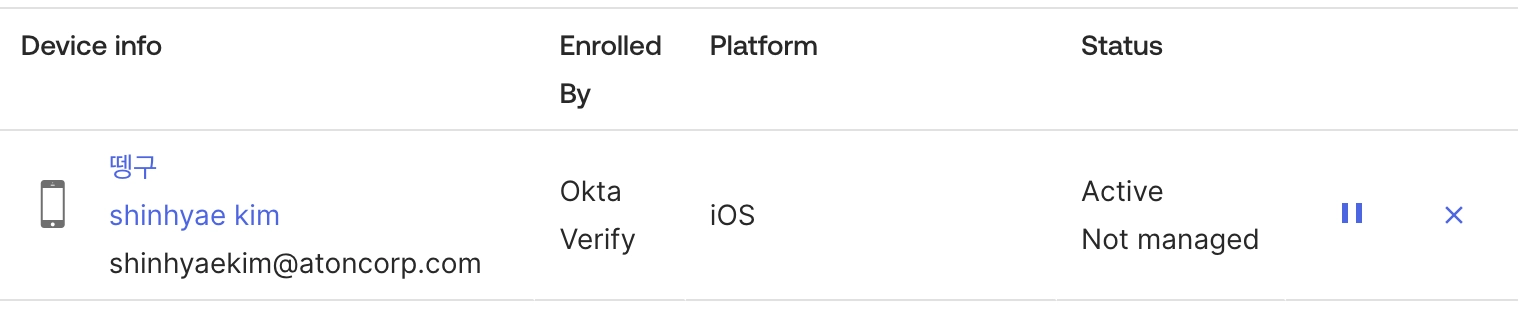
상태 | 설명 |
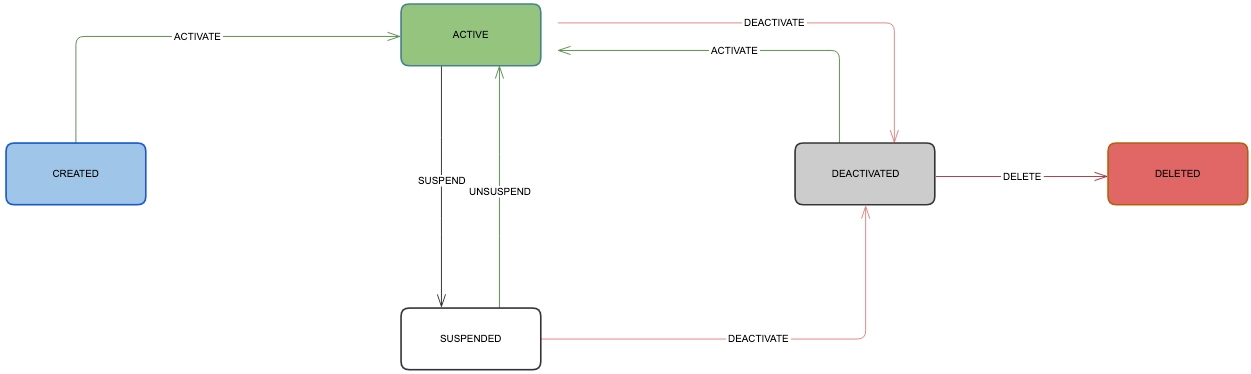
Active | Active 상태의 디바이스는 Suspended 또는 Deactivated 상태가 될 수 있습니다.
사용자가 App Sign On 정책에서 허용된 경우 기기에서 보호된 리소스에 접근할 수 있습니다. 리소스 접근에 허가를 받을 경우 리소스에 안전하게 접근할 수 있습니다.
|
Suspended | Active 상태에서만 Suspended 될 수 있습니다.
Suspended 상태의 디바이스는 Unsuspended(=Active) 또는 Deactivated 상태가 될 수 있습니다.
|
Deactivated | Deactivated 상태의 디바이스는 Activated 또는 휴지통 아이콘을 통해서 삭제될 수 있습니다. |
Device state buttons
Depending on the current device state, different device state buttons are available. You can Suspend or Deactivate (if Active), Unsuspend (if Suspended), and Activate or Delete (if Deactivated):
버튼 | 설명 | |
Activate | ||
Suspend | ||
Unsuspend | ||
Deactivate | ||
Delete |